
Automation ROI: What It Actually Looks Like (Not What Vendors Tell You)
Why Most Automation ROI Claims Fall Apart
If you're an operator, you should be skeptical of anyone promising 40 hours a week back overnight. At HAR Labs, we spend our days in the trenches of operations consulting, cleaning up the mess left by "miracle" software. We've seen six-figure paperweights and "simple integrations" that require three engineers to maintain.
Automation ROI is real, but it's not a shiny bar chart in a sales deck. It's boring, incremental and, done correctly, the only way a 50-person company competes with a 500-person corporation. Let's look at the reality once the "new car smell" of the software wears off.
The Vendor Lie vs. The Operational Reality
Vendors sell "Total Potential Savings." They take your most expensive employee's hourly rate, multiply it by the minutes saved per task, and claim you're "saving" $200,000 annually.
This is a fantasy. Unless you reduce headcount or that saved time directly generates $200,000 in new revenue, you haven't saved a dime. You've simply shifted where the inefficiency lives. Real ROI shows up as capacity reclaimed and error-rate reduction.
The Reality of Reclaimed Time
When you automate data entry between a CRM and project management tool, you aren't just looking for "hours saved." You are looking for:
- Elimination of "Re-work": the old 1-10-100 rule of thumb in data quality says an error costs about 10x more to correct than to prevent, and far more once it reaches a customer.
- Retention: Talented Ops Managers quit when their day is 80% manual CSV imports.
- Scalability: The ability to double transaction volume without doubling back-office staff. That is your true return.
The Hard ROI Formula
Forget complex spreadsheets. To determine if a project is worth the "operational tax" of implementation, use this formula: ROI = [(Time Saved × Frequency × Labor Rate) + Error Cost − (Tool Cost + Maintenance)] ÷ Implementation Cost. Everything above the line is per year, so the result tells you how many times year-one savings cover the build. Above 1.0, it pays for itself inside a year.
![The Hard ROI Formula: ROI = [(Time Saved × Frequency × Labor Rate) + Error Cost − (Tool Cost + Maintenance)] ÷ Implementation Cost](/assets/roi-formula-C2jCdzyU.webp)
Breaking Down the Variables
- Time Saved: Be conservative. Is it an hour, or realistically 12 minutes?
- Frequency: ROI lives in high-frequency, low-complexity tasks.
- Labor Rate: Use a burdened rate (salary + benefits + overhead).
- Error Cost: The "hidden" ROI. What does a lost lead or a miscalculated invoice cost the business?
- Maintenance: Automations break. APIs change. Factor in 2–4 hours monthly for "babysitting" the tech.
A Worked Example
A task runs 40 times a month and takes 25 minutes each time, done by someone whose burdened rate is $38/hour. That is 200 hours and $7,600 of labor a year. If 5% of runs need rework, and rework takes about 1.5× the original effort, errors add about $570, for $8,170 in total. Automation rarely removes all of it; assume it saves 80%: $6,536 a year. These are the same assumptions our Manual Tax Calculator uses.
On the cost side: a $50/month tool ($600 a year) plus 2 hours a month of maintenance ($912 a year). Net annual value: $5,024. If the build costs $3,000, the ratio is about 1.7: year-one savings cover the build 1.7 times, and it pays for itself in a little over seven months. Run your own numbers in the Manual Tax Calculator; it does the value side of this formula for you.
The Hidden Drain: Tool Sprawl and "Shadow IT"
The biggest enemy of ROI isn't a lack of automation. It's tool sprawl. Plenty of small businesses pay for a dozen or more subscriptions that don't talk to each other. This creates "Shadow IT," where teams use unauthorized tools because the official ones are too complex.
Every new tool added to your stack without a clear integration plan decreases your overall ROI. You aren't just paying the monthly seat price; you're paying the "cognitive tax" of your team switching between tabs. Business process optimization starts with consolidation, not just addition. We cover how to cut a stack back in The Tool Sprawl Trap.
What to Automate First (The Triage)
Don't automate "the hard stuff" first. Complex, creative processes with 50 "if-then" scenarios are a recipe for a $50k failure. The short version is below; the full scoring method is in What Should You Automate First?. Follow this hierarchy:
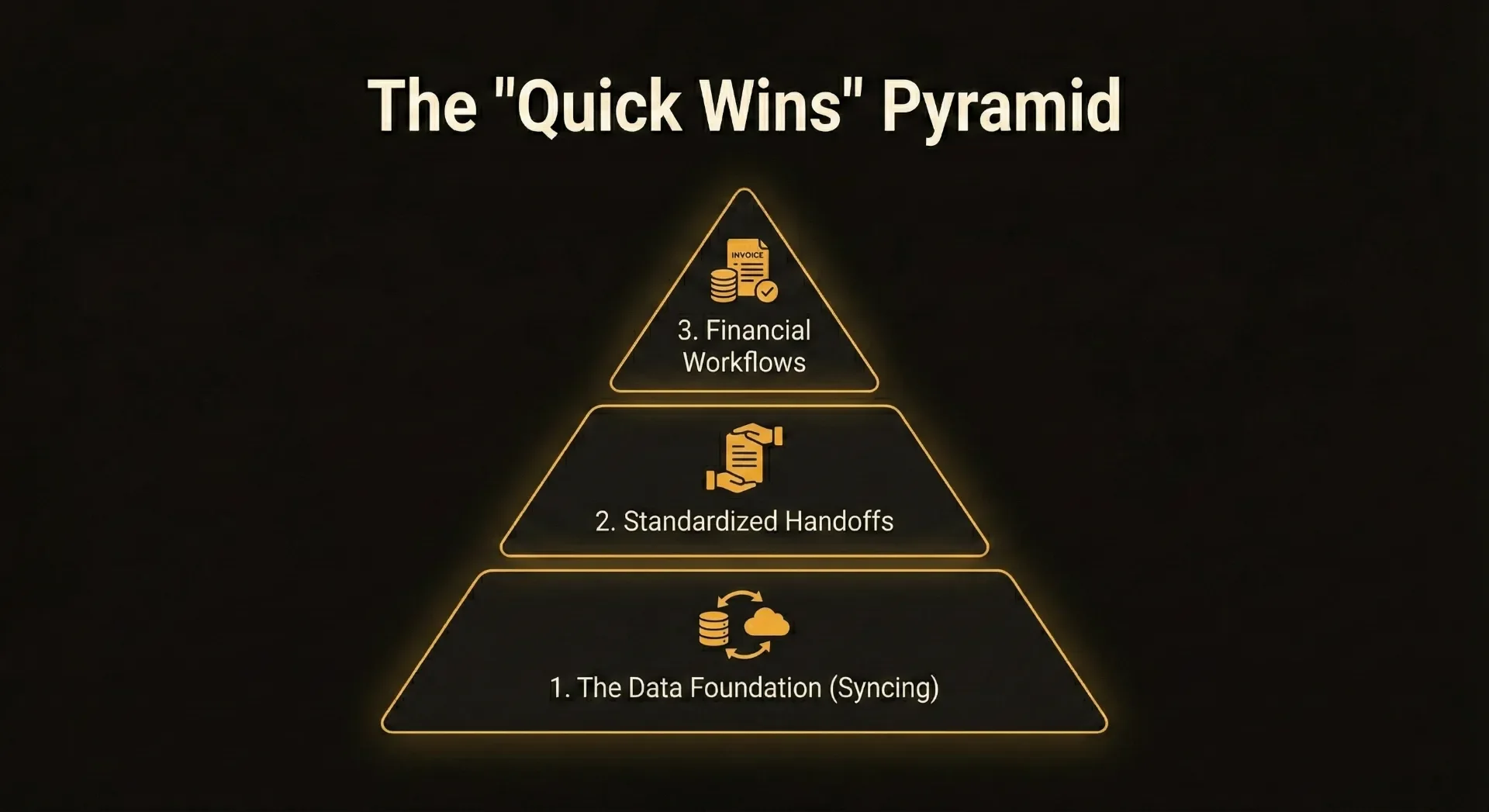
1. The Data Foundation (Syncing)
If your sales team manually moves data from lead forms to the CRM, start there. This isn't just automation; it's basic plumbing. Use Make or Zapier to create a single source of truth.
2. Standardized Handoffs
Stop the "Did you see my email?" culture. When a contract is signed, trigger a Slack notification, create the Google Drive folder, and invite the client to the project board automatically. These "micro-automations" require zero maintenance and solve immediate "manual process" fatigue.
3. Financial Workflows
Invoicing, expense approvals, and payment reminders have a direct impact on cash flow. Automating a "past due" reminder brings money into the bank faster without a human having to send an awkward email. The full method, in order, is in How to Reduce AR Aging Without Hiring Anyone.
The 90-Day Roadmap: From Chaos to Clockwork
Vendors promise "instant" results. In reality, a successful rollout for a mid-sized business follows a predictable 90-day path.
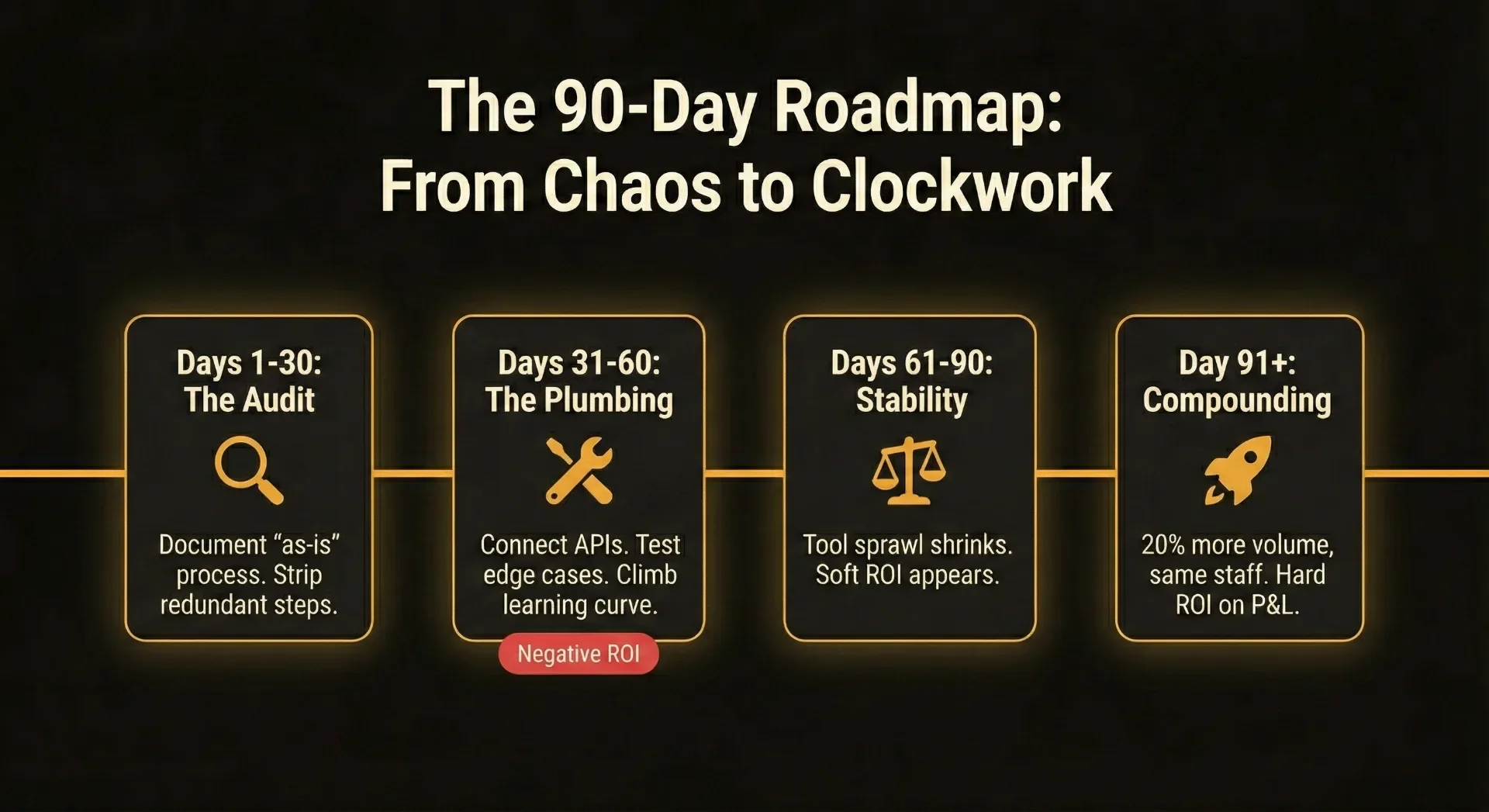
- Days 1-30: The Audit. You cannot automate a mess. Document the "as-is" process and strip redundant steps.
- Days 31-60: The Plumbing. Connect APIs, set triggers, and test edge cases. Expect negative ROI here as the team climbs the learning curve.
- Days 61-90: Stability. Tool sprawl shrinks. Soft ROI appears: fewer "where is this file?" pings in Slack and more consistent data.
- Day 91+: Compounding. Your team handles more volume with the same staff. This is where ROI hits the P&L.
Common Pitfalls: Why Automation Projects Fail
Pitfall #1: Automating Edge Cases
Don't build an automation for a task that happens twice a year. Automation is for the 80% of tasks that are predictable. If it requires human judgment, keep it manual.
Pitfall #2: Neglecting the "Human API"
If your team doesn't understand why a process changed, they will find workarounds. This leads to data silos and broken workflows.
Pitfall #3: Chasing "Shiny Object" AI
In 2026, every tool has an "AI" button. Most are fluff. Don't buy for the AI; buy for the specific operational bottleneck it solves. Rule-based workflow automation is often more reliable than generative shortcuts for core operations.
Is Automation Worth It for You?
Size matters less than repetition. If a task runs a few times a month and one person handles it, a checklist may beat any automation. Once the same task runs dozens of times a month, or passes between two people, every handoff adds overhead and room for error. That is the Complexity Ceiling, and owner-operators hit it as surely as 50-person firms.
At this stage, automation is no longer a luxury. It is infrastructure. ROI isn't a one-time event; it's a discipline. Stop looking for the "one tool to rule them all" and start fixing the one process currently killing your team's soul.
Put your own numbers in
The Manual Tax Calculator runs the labor and rework part of this formula for one process in about two minutes.
If the number comes out small, that is worth knowing too.
Try the Manual Tax Calculator