
AI Won't Replace Your Team, But It Will Change What They Do
The Anxiety Is Real, but Misplaced
If you're a COO or Founder, the current AI hype is likely causing more anxiety than clarity. You're being told AI will automate everything and slash headcounts. In reality, most small-to-mid-size businesses (SMBs) aren't overstaffed; they're over-leveraged by manual chaos.
At HAR Labs, we see teams buried under "tool sprawl," acting as the manual glue between disconnected systems. The goal of AI automation isn't to replace these people. It's to free them from the repetitive work that eats a large share of their week.
AI won't take their jobs, but used well it changes what they spend the day on. Blue Shades Entertainment is a real example: three people moved off confirmations, follow-up emails and status updates and onto client work, with the same headcount.
The End of "Human Middleware"
In most growing businesses, people are functioning as human middleware. They spend their days moving data from an email to a CRM, or from a spreadsheet to an invoice.
This is a failure of process design. When we talk about AI for small business, we aren't replacing critical thinking; we're automating the structured, repetitive tasks that humans are poorly suited for. By removing the "busywork," you allow your team to focus on the work you actually hired them for.
Strategic Augmentation: The Human-in-the-Loop Model
Blind automation is a risk. You can't afford an AI hallucinating a response to a key client or miscalculating a financial discrepancy.
Strategic workflow automation relies on a human-in-the-loop AI model. AI handles the heavy lifting (researching, summarizing and extracting data) and presents a draft to a person for the final judgment. This shifts the employee's role from "doer" to "editor and strategist."
What It Looks Like in Practice
A Real One First: Blue Shades Entertainment
Blue Shades Entertainment had three people spending their days on scheduling confirmations, follow-up emails and status updates. We built a system that runs that sequence end to end and hands only the exceptions to a person. In the words of Isaac, their CEO: "Those three people now spend their time on client work instead of admin." Same team, different work. Read the full story.
Three More Examples
The three below are illustrations of the same pattern in other roles, not client case studies.
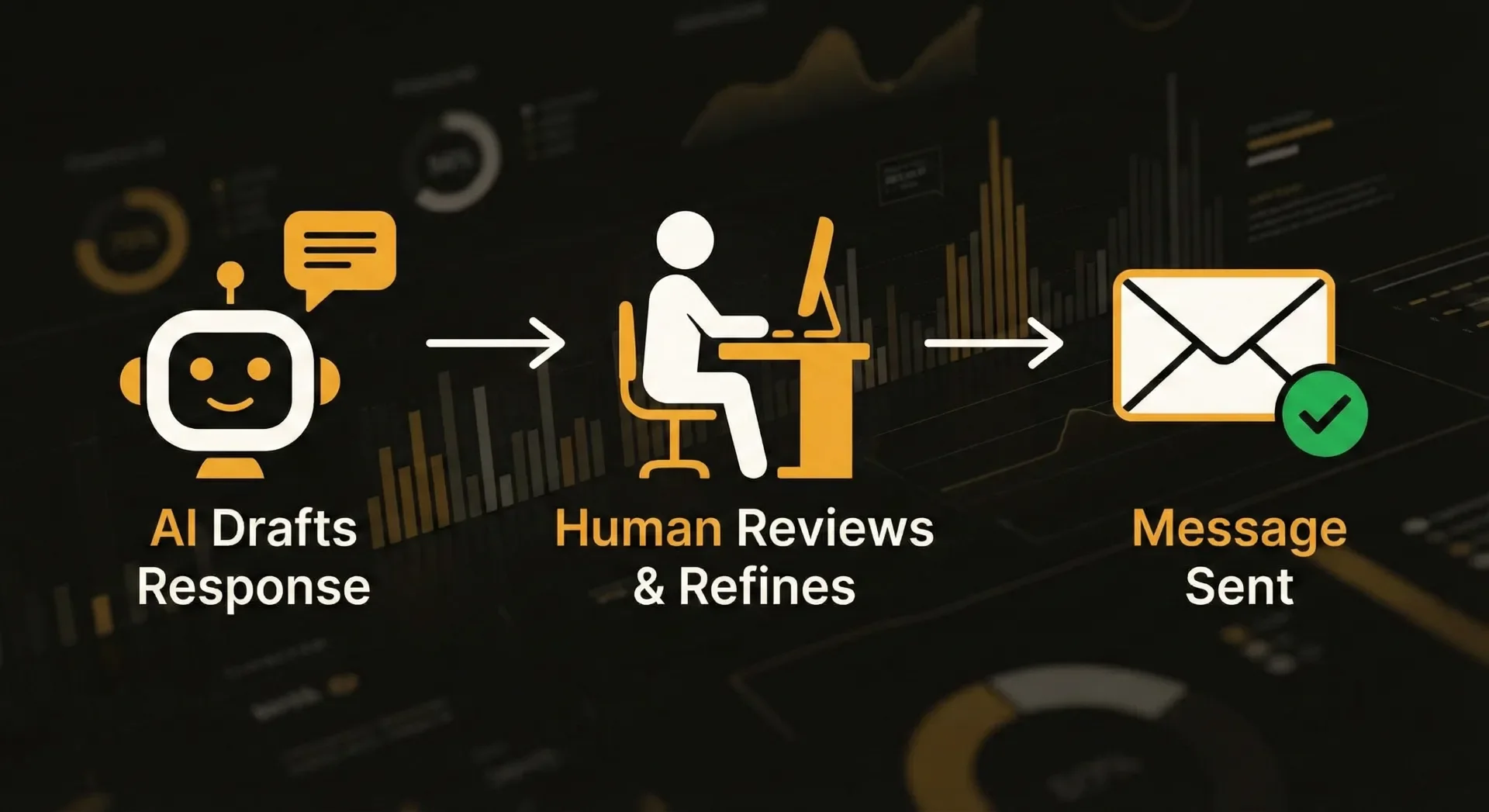
1. Customer Support & Triage
The Old Way: An agent spends 20 minutes digging through internal wikis and old Slack threads to answer one complex technical query.
The AI-Augmented Way: An AI agent searches your knowledge base and drafts a comprehensive response. The human agent reviews it for tone and nuance, then hits send in under two minutes.
The Result: In this example, an answer that took 20 minutes takes about two. The same team can handle many more tickets without adding headcount or losing the human touch.
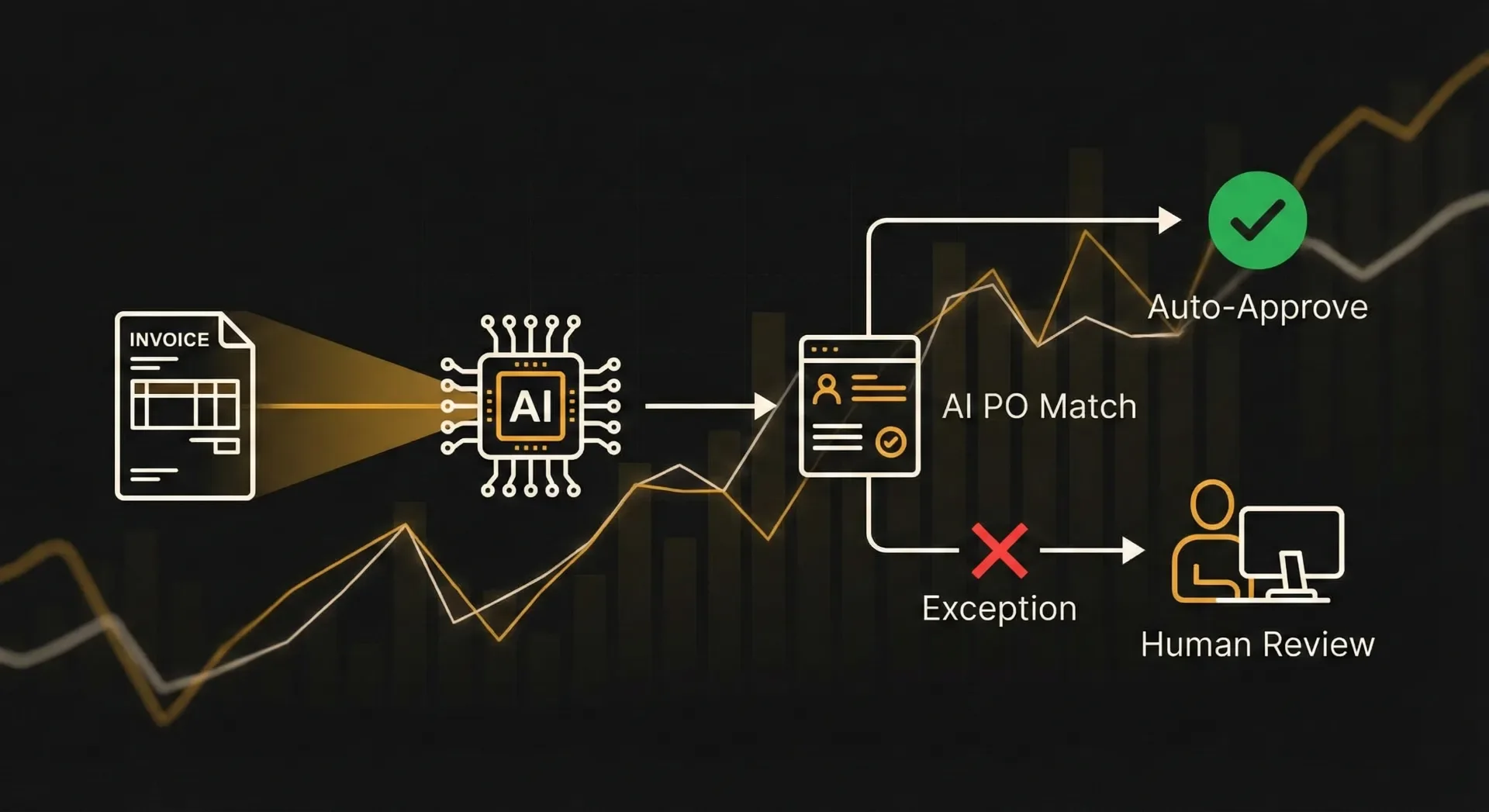
2. Financial Operations (Accounts Payable)
The Old Way: A clerk manually types data from PDF invoices into accounting software and chases department heads for approval.
The AI-Augmented Way: AI extracts data from incoming PDFs and matches it against purchase orders. If it's a match, it routes for approval automatically. The human only steps in to manage discrepancies.
The Result: Most of the data entry goes away. The finance team shifts from "typing" to "cash flow analysis."
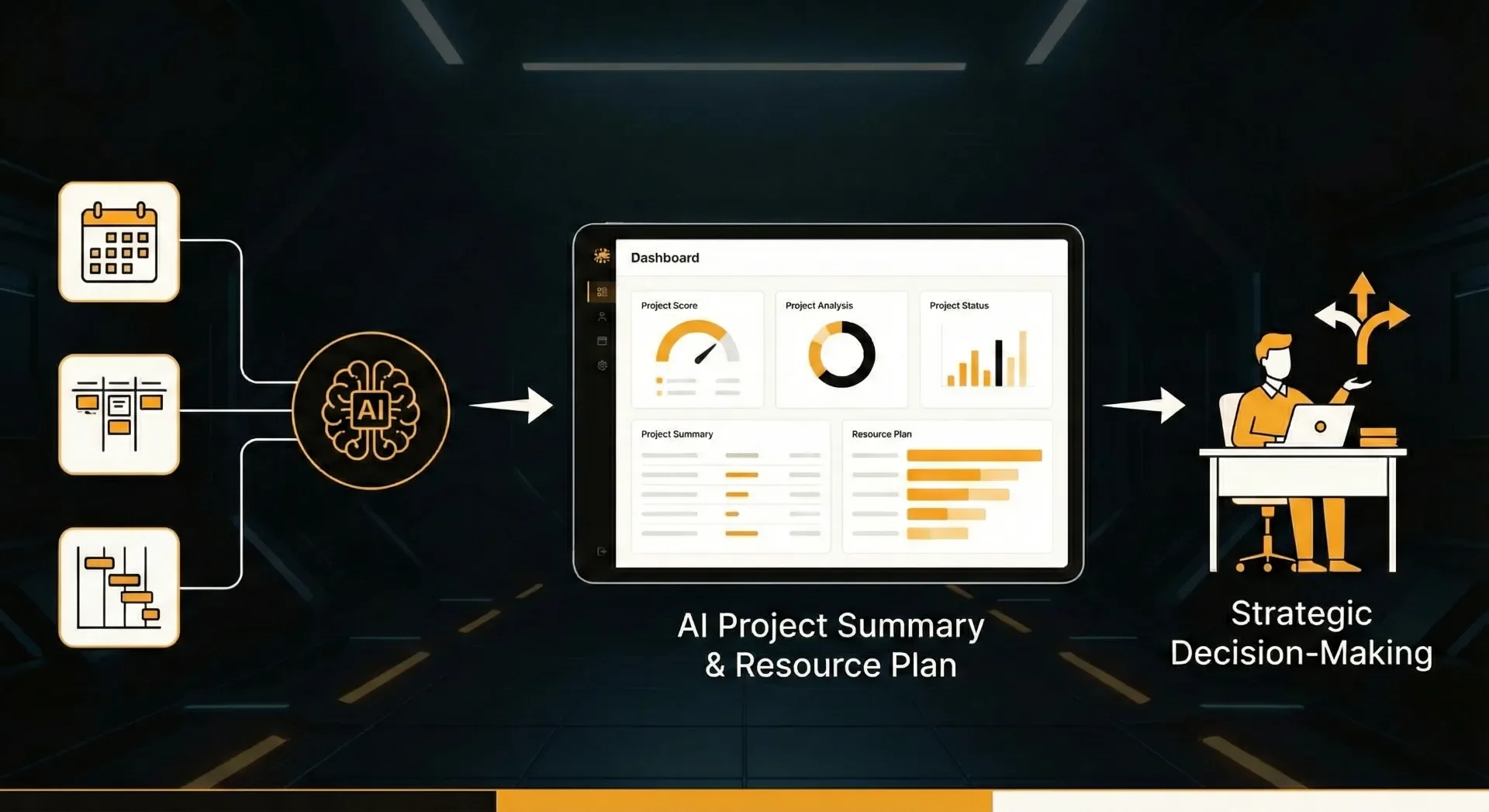
3. Project Management & Resource Planning
The Old Way: A Project Manager spends all Friday afternoon compiling status updates from various tools into a single report.
The AI-Augmented Way: AI integrations pull real-time data from Asana or Jira, identify bottlenecks, and generate a summary report and resource allocation plan.
The Result: The PM spends Monday morning making strategic decisions instead of Friday afternoon hunting for data.
The Cultural Shift: From Entry to Strategy
Implementing business process optimization is as much change management as it is technology. If you drop these tools on your team without context, they will feel threatened.
You must communicate that tool consolidation is about giving them their time back. When an Operations Coordinator is freed from 15 hours of manual reconciliation, they can spend that time negotiating better vendor contracts or improving procurement workflows.
Your team's value is no longer measured by how many rows they fill in a spreadsheet, but by the quality of the decisions they make using the information AI provides.
Practical Next Steps
Don't try to automate everything at once. Start with your most hated manual process, the one the team complains about most. Build a human-in-the-loop workflow to solve that specific pain point. Once the team experiences the relief of having the "grind" removed, they'll become your biggest advocates for AI adoption.
The future of operations isn't a choice between humans and machines. It's a partnership where machines handle the data and humans handle the strategy.
See where AI fits in your work
The AI Ops Lab shows what we build with AI, how a person stays in the loop, and where a simple rule does the job better.
Explore the AI Ops Lab